• Guest - w'd love to know what you think about the forum! Take the 2025 Survey »

What was your fasting blood glucose? (full on chat)

8.0 at 03.00 today.

I don't have any of the more modern gadgets, so am not bothered with all the problems that seem to come with them. I can see that your ChatGPT is useful, Gennepher. Nevertheless, I think I am better off without it. It all comes back to security again and, as I said before, Neil is very hot on security. He's uneasy about even those online accounts I do have and any more invasive ones would probably cause apoplexy! That's why I have my cookies set to clear every time I turn the PC off. It's a slight irritant that I have to allow cookies before getting on to each site, but not much. I suppose we're not far from paranoid about this.
 
Good wet Sunday afternoon Ladies and Gentlemen.

I hope your day is going well, so far today I have been given orders on something to do with one of Mrs J’s machines, the washing machine.

Apparently you have to turn the washing machine on before you can set it on a program of its choice, it seems your choice is of no consequence. Needless to say I just turned it off, on number 59 and not program number 8, spin again, or just spin.
Mrs J exercised her lung power in my telling off. I have had 2 private texts from my neighbours asking what have I done now!
 
I had a word with ChatGPT @Krystyna23040
He tells me this (I call ChatGPT a he!)


“Autocorrect on the iPad can be far more stubborn than on the Pixel — you’re not imagining it.
Apple’s system will often re-apply a “correction” AFTER you’ve fixed it, which is exactly what you’re seeing.

Here’s what’s really going on and what you can do:


️ Why your iPad keeps undoing your corrections
1. Apple’s autocorrect learns aggressively
If it thinks a word “should” be something else (like Mold → Mode), it will change it after you press space, even if you’ve corrected it before.
2. Turning off Spellcheck doesn’t turn off Predictions
Spellcheck ≠ predictive text.
So even with Spellcheck off, it still “guesses” and replaces words.
3. iPad autocorrect overrides manual edits more than Android
Pixel gives back control quicker, but iPad tries to be “helpful” even when you don’t want it.


✔ How to stop the worst of it (without losing suggestions)

These steps keep the predictive strip but reduce the forced corrections:

1. Keep “Check Spelling” ON

You’ve already seen that turning it off removes suggestions.

2. Turn OFF “Auto-Correction” only

Go to:
Settings → General → Keyboard → Auto-Correction → OFF

This stops the iPad from forcing its chosen word after you type.

You will still get the suggestions bar, but it won’t change your words unless you tap the suggestion.

3. Optional: Turn ON “Auto-Capitalisation” and “Smart Punctuation”

These help things look clean without messing with your words.

4. If a name or place keeps getting “corrected”, add it to Text Replacement

This is a trick to stop the iPad overriding you.

Go to:
Settings → General → Keyboard → Text Replacement

Add:
• Phrase: Mold
• Shortcut: mold

This makes the iPad stop changing it to “mode” or “mow”.


⭐ Why the Pixel doesn’t do this

Android gives the user final control.
If you correct something, it learns quickly.
Apple often “thinks it knows better” and keeps reverting until you train it otherwise.

⸻”

I am trying this at the moment @Krystyna23040

Perhaps you can do these suggestions on your kindle?

But, obviously I do not know what other settings you have turned on, on your Kindle…..
@Krystyna23040

I was still having some problems with the iPad...
So I had to get back to ChatGPT.
I explained what the problems were. And ChatGPT asked me to do some test stuff with him.

Then he said
"Thank you — that one change tells me exactly what’s happening.

Your typing is fine. This is dictation smoothing still running in the background, even when you aren’t using dictation.

(dictation was turned off at this point)

On some iPads — especially older minis — the dictation engine tries to “guess” if a short word is wrong and quietly replaces it after you press send. It often changes:

  • enough → up
  • in → I
  • of → if
  • at → as
  • no → on

All classic dictation-ghost behaviour.

We can calm it down further."

I was getting all those above problems.

So another series of steps turning things off, then sending him a message, and then turning things on again some of them and then sending him a message, and so on... finally we had to turn some of the things back on again... and so far it's working pretty much okay... doing nothing of the stupid stuff it used to do... fingers crossed.

I really did get fed up with people treating me as though I was stupid saying, well all you've got to do is turn spellcheck off or grammar check off. It was nowhere near as simple as that... there was a ghost in the works that I could do nothing about....
 
@Krystyna23040

I was still having some problems with the iPad...
So I had to get back to ChatGPT.
I explained what the problems were. And ChatGPT asked me to do some test stuff with him.

Then he said
"Thank you — that one change tells me exactly what’s happening.

Your typing is fine. This is dictation smoothing still running in the background, even when you aren’t using dictation.

(dictation was turned off at this point)

On some iPads — especially older minis — the dictation engine tries to “guess” if a short word is wrong and quietly replaces it after you press send. It often changes:

  • enough → up
  • in → I
  • of → if
  • at → as
  • no → on

All classic dictation-ghost behaviour.

We can calm it down further."

I was getting all those above problems.

So another series of steps turning things off, then sending him a message, and then turning things on again some of them and then sending him a message, and so on... finally we had to turn some of the things back on again... and so far it's working pretty much okay... doing nothing of the stupid stuff it used to do... fingers crossed.

I really did get fed up with people treating me as though I was stupid saying, well all you've got to do is turn spellcheck off or grammar check off. It was nowhere near as simple as that... there was a ghost in the works that I could do nothing about....
Thank goodness for Chat GPT @gennepher. .iPad is far too clever for its own good.
 
Fbg 7.1

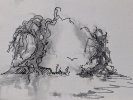
Ink and water...
Just scribblings.
They look a bit like trees...!

I have spent most of the day with the settings on the pixel phone and the iPads. With the iPads it is not as simple as just turning off spell check and grammar...


Night night

Sweet dreams...

IMG_20251207_234338_(1992_x_1500_pixel).jpg
 
Good morning everyone from a blustery start here in the dark and dangerous north.
6.1 this a.m.

Journey home yesterday. Someone ‘accidentally’ activated an emergency button on the train resulting in the train being brought to a halt. It stayed that way until the driver walked down the train and re-set it. This resulted in what can loosely be described as ‘running’ between Paddington and the underground and then from the underground to Kings Cross. Such activity did keep me nice and warm in the chill air and with barely three minutes to spare, was shoved onto the train by staff at the first entry point and had to walk through the train to get to my allocated seat as my body reacted, all bundled up, with the sauna like atmosphere inside said train.

Home though! Laundry to sort this morning and then try and make some room in the freezers for the inevitability of Christmas strangeness. Also, there is a bag to pack as I am going to French Froggy France in a few days to see my mother. Our niece is picking me up at Bordeaux for the trip up to Saintes so the three of us will have a lovely couple of days together.

It’s nice visiting people and places but after all this traveling I look forward to a bit of peace and quiet after I get home on the 19th. Oh, hang on, that humbug time is fast approaching.

Best make some koffy and get on with my day. Mrs Miggins will be back from Malta sometime tomorrow.
 
Last edited:
Back
Top